
In ERP, Accounting Masters are the core records used to manage all financial activities within the system. They serve as the foundation for accurate and organized financial transactions and reporting. By properly maintaining these master records, businesses can ensure reliable financial data, meet regulatory requirements, and gain clear insights into their financial performance for better decision-making.
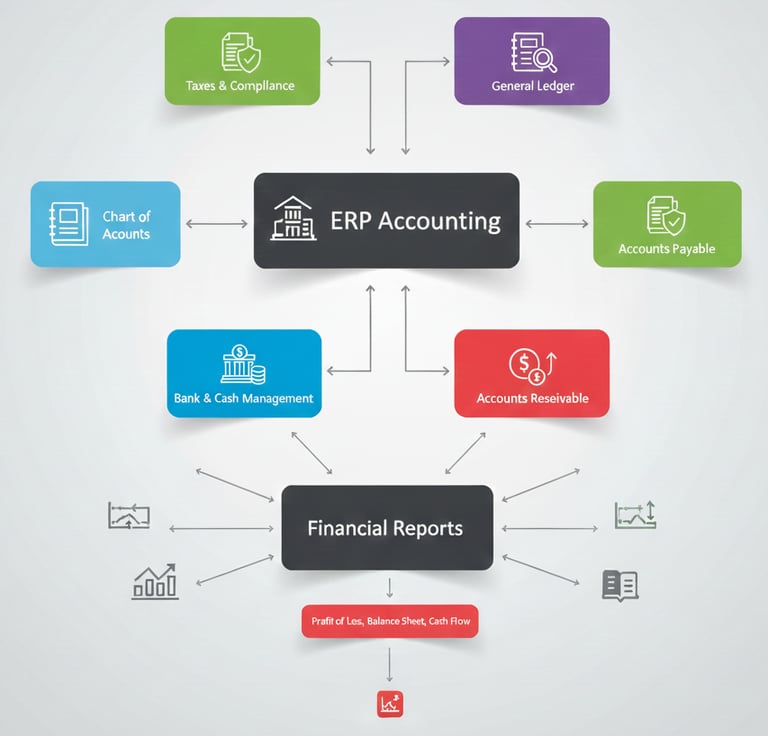
Chart of Accounts
Organize all income, expenses, assets, and liabilities in one structured chart.
General Ledger
Record all financial transactions and track balances accurately.
Accounts Payable
Manage supplier bills and payments.
Bank & Cash Management
Track bank accounts, cash flow, and reconciliations.
Taxes & Compliance
Manage tax templates, VAT, and regulatory compliance.
With the Accounting Module, your business can maintain accurate financial records, control cash flow, and make smarter financial decisions
Accounting Reports
ERPNext provides comprehensive accounting reports to give you real-time insights into your business finances. From the General Ledger and Accounts Receivable/Payable to Profit & Loss, Balance Sheet, and Cash Flow, these reports help you track transactions, monitor outstanding balances, analyze trends, and make informed financial decisions — all in one place.
Accounting Masters
Manage your ERP financial data with precision and clarity
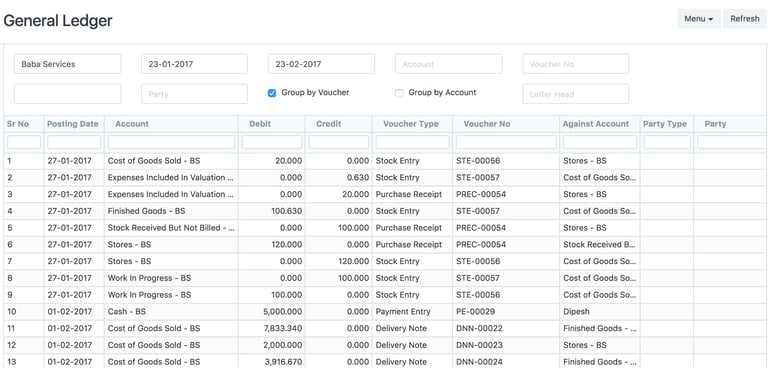
1. General Ledger (Company and Accounts)
A detailed report that records all financial transactions posted to each account. It shows both debit and credit entries for every transaction, providing a complete and accurate view of your financial activities.
2. Accounts Receivable and Accounts Payable (AR / AP) (Accounting Statements)
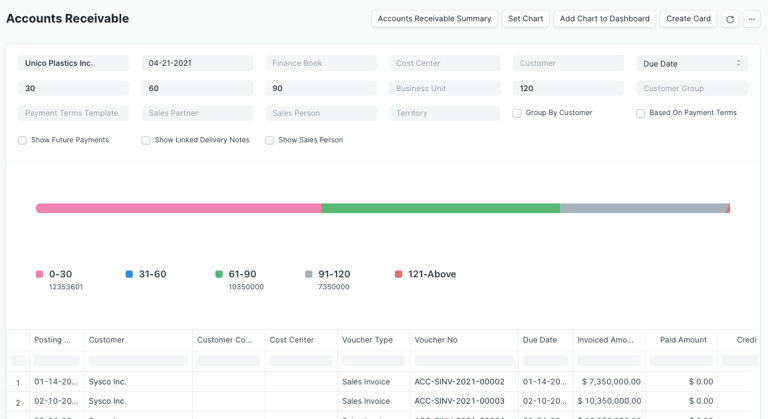
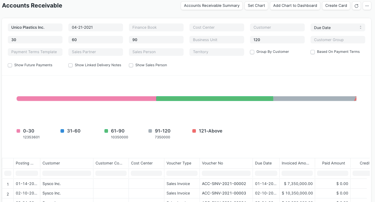
These reports help you track outstanding balances for both customers and suppliers. They also provide ageing analysis, showing a detailed breakdown of overdue amounts based on how long they have been outstanding.
3. Profit and Loss Statement
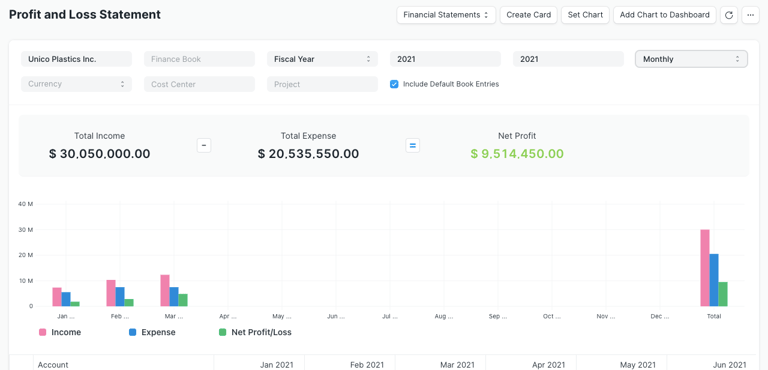
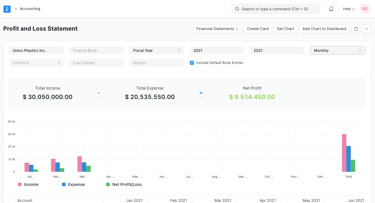
The Profit and Loss (P&L) Statement summarizes all revenues and expenses for a given period. In ERPNext, you can run the report across multiple years or periods for comparison, filter by Finance Book, Project, or Cost Center, and display balances in any currency. For quarterly or monthly reports, you can choose to show either accumulated balances or balances for each period individually.
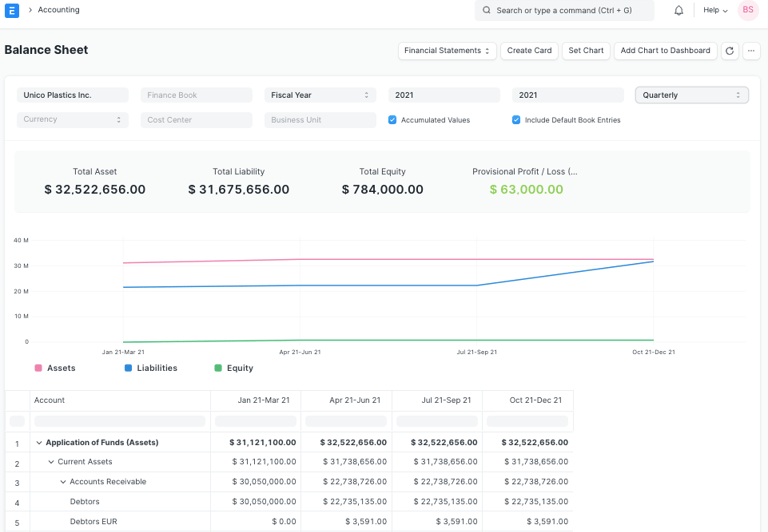
4. Balance Sheet
A Balance Sheet is the financial statement of a company which states assets, liabilities and equity at a particular point in time. The Balance Sheet in ERPNext gives you more flexibility to analyse your financial position. You can run the report across multiple year to compare values. You can check values for a specific Finance Book or Cost Center. You can also choose any other currency to display the balances.
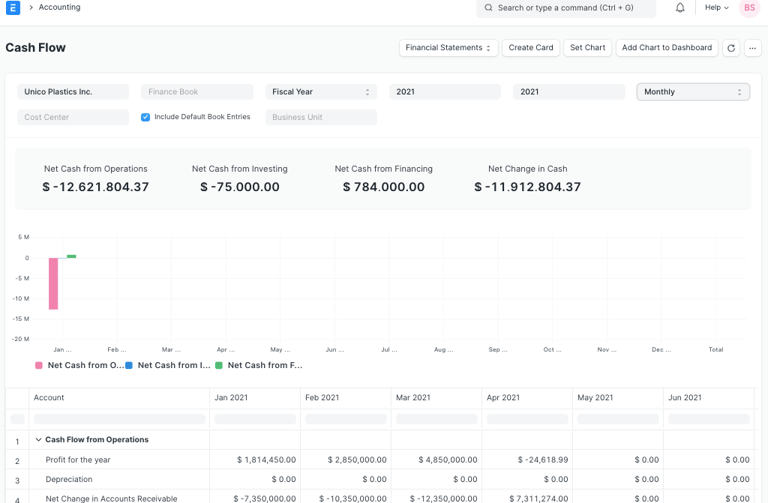
5. Cash Flow Statement
The Cash Flow Statement shows the movement of cash and cash equivalents in a company, detailing both inflows and outflows. It helps analyze the company’s liquidity and ability to meet financial obligations
Exciting Accounting Masters!
Core data elements that keep your financials accurate and compliant.


Data Accuracy
Maintain precise records to support reliable financial reporting every time.
Regulatory Compliance
Ensure your accounting masters meet all legal and financial standards consistently.